Skip to Content

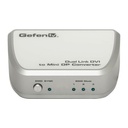
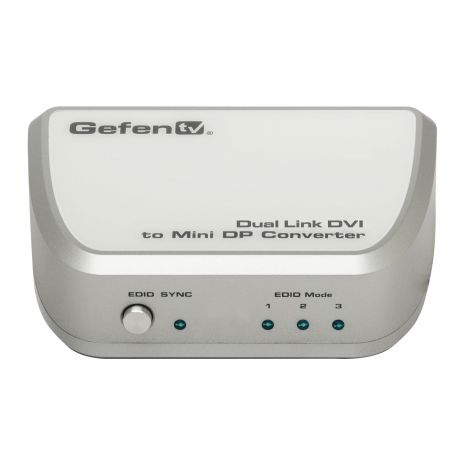
Gefen Dual Link DVI to Mini DP Converter

View Any PC or Mac Computer with Audio Support on a Display Using Mini DisplayPort

  • Brand
  • Product Type
Price

Brand: Gefen
Product Type: Scalers & Converters
SKU: GTV-DVIDL-2-MDP
Brand: Gefen
Days
:
Hours
:
Mins
:
Secs
  • Converts Dual Link DVI to DisplayPort using the Mini DisplayPort connector interface
  • Supports dual-link resolutions up to 2560 x 1600
  • Supports Apple 24″, 27″, and 30″ LED Cinema Displays
  • Advanced EDID Management: Mode 1: 2560×1600, Mode 2: 2560×1440, Mode 3: EDID pass-through
  • Audio Input Jack
  • USB-powered
  • Field upgradable using USB
  • Durable, compact form factor

Specifications

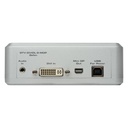
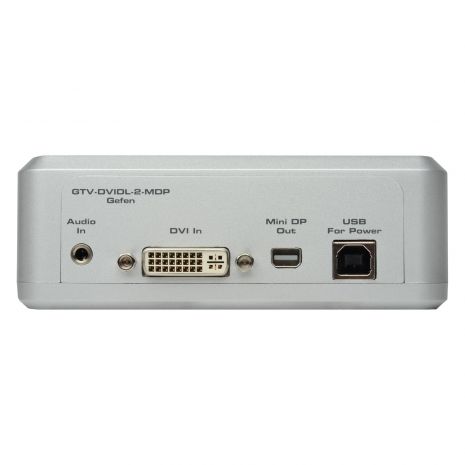
DVI Connector: DVI-I 29 pin, female
USB Connector: Type B
Audio Input Connector: 3.5mm mini-stereo
Output Connector: Mini DisplayPort
LED Indicators: (3) EDID mode, (1) SYNC
Dimensions: 4.8" W x 1.7" H x 3.2" D
Shipping Weight: 2 lbs.


Other Specifications

Shipping Info

  • Length0 (Inches)
  • Width0 (Inches)
  • Height0 (Inches)
  • Weight0 (Lbs)
  • UPC845344079875

Other Specifications

  • DVI Connector: DVI-I 29 pin, female
  • USB Connector: Type B
  • Audio Input Connector: 3.5mm mini-stereo
  • Output Connector: Mini DisplayPort
  • LED Indicators: (3) EDID mode, (1) SYNC
  • Dimensions: 4.8" W x 1.7" H x 3.2" D
  • Shipping Weight: 2 lbs.

In The Box

  • GefenTV Dual Link DVI to Mini DP Converter(1)
  • 4 ft. USB cable (A-B)(1)
  • 6 ft. Dual Link DVI cable (optional)(1)
  • User Manual(1)


2 year product warranty

Please see the Gefen warranty page for more details

The GefenTV Dual Link DVI to Mini DP Converter works with all Mac and PC computers using dual link DVI graphics supporting resolutions up to 2560×1600. It is designed as an easy, plug and play solution for viewing DVI dual link video using the Mini DisplayPort interface with audio support.This converter is designed to only support the Apple 24″ and 27″ MDP LED Cinema Displays. Audio support is provided through the built-in 3.5mm audio connector. The audio output is fed through the Mini DP Out connector on the unit. An EDID switch button is provided for manually selecting the three EDID modes: 2560×1600, 2560×1440, or pass-through. The unit is powered using the included USB cable.