Product Highlights
- Up to 4 Full HD Video Sources Capturing, Mixing, Switching, Recording and Live Streaming
- HDMI, VGA, RJ-45 and Streaming Inputs
- Touch-Friendly On-Screen Graphical User Interface
- AREC Online Director: Easily Add Background Images, Overlays and Change Video Layouts in Video Making
- Broadcast Your Mixed Video to up to 2 Platforms Simultaneously
- Up to 4-inputs Sources Capturing and 5 Recording Video Outputs
- Available APIs for Software Server Integration
CAPTURE UP TO 4 VIDEO SOURCES AT THE SAME TIME
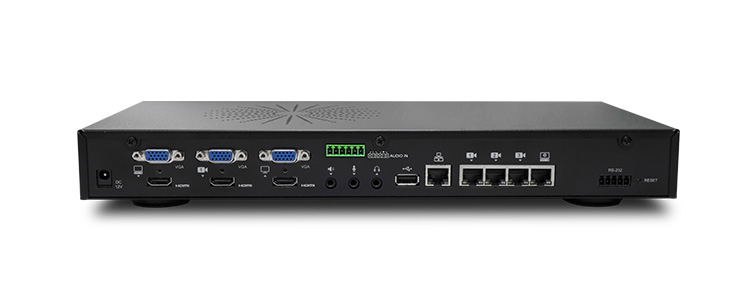
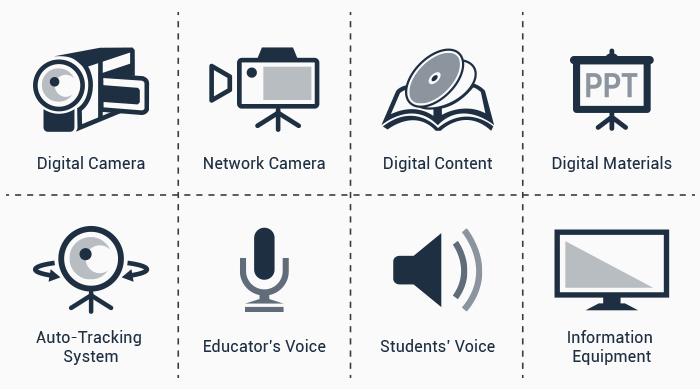
LS-400 supports capturing up to 4 video sources through HDMI / VGA/ RJ45 interfaces* at the same time, it is compatible with network cameras, laptops, PCs, digital microscopes, wireless microphones etc. With audio support, LS-400 can mix audio via HDMI, 3.5mm stereo and AREC wireless microphone.
INTUITIVE AND VERSATILE CONTROL OPTIONS
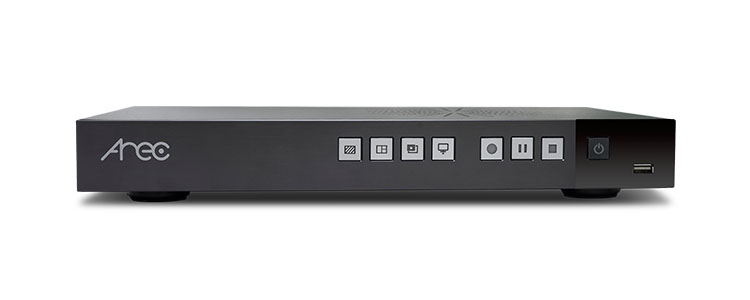
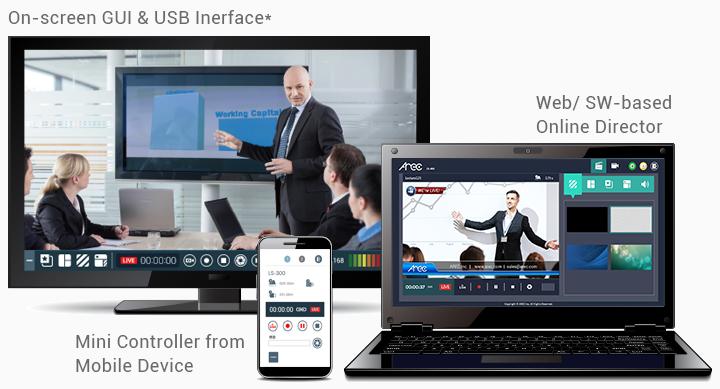
AREC Online Director supports a wide range of control options, including Web Browser (IE, Firefox), Software Application (Windows, Mac OS), Touch-Friendly Graphical User Interface*, and Mini Controller from Mobile Device. Mini Controller and GUI design bring easier and faster control than ever. Control buttons on the front of LS-400 are also provided.
*To achieve touch control, please use with a self-prepared touch display together. The on-screen GUI also supports mouse device control through USB connection.
FLEXIBLE 4-CHANNEL-IN AND 5 RECORDING VIDEO FILES DESIGN
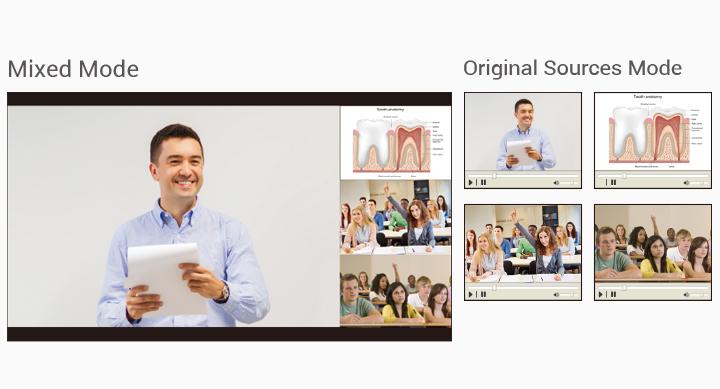
AREC LS-400 supports up to 4-input sources capturing and up to 5 recording video outputs. Users can choose mixed recording mode or mixed plus original sources mode respectively. The mixed plus original sources recording mode provides 1 mixed video and 4 individual synchronized source videos for flexible use.
BUILT-IN HARD DRIVE STORAGE & BACKUP
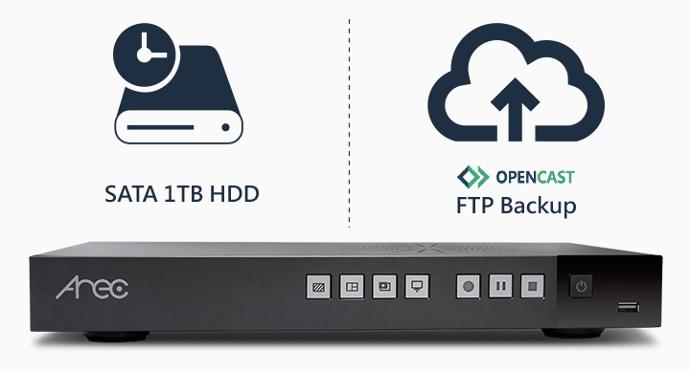
LS-400 allows saving recording videos on the internal 1TB hard drive. To increase security, LS-300 can automatically backup/upload recordings to AREC MediaCenter, FTP, SFTP, Opencast, Panopto, and Kaltura.
REMOTE MANAGEMENT. SIMPLE TO INTEGRATE
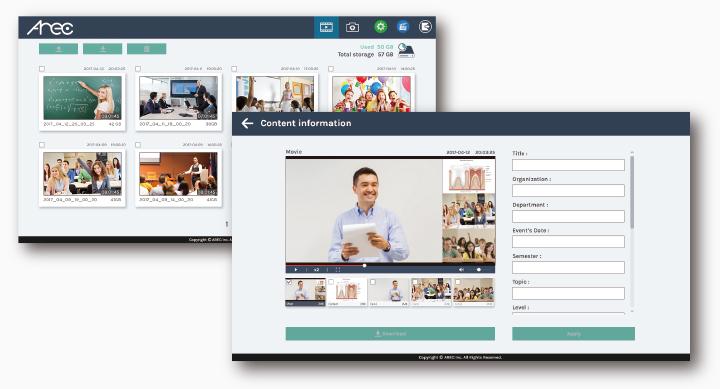
With the built-in Video Manager, videos stored in the AREC Media Station can be managed remotely. Designed to work in network environment, AREC Media Station has an HTTP API that provides access to many functions in Media Station. All of the video content, metadata, and thumbnail can be delivered seamlessly for the server software integration.
SPECIFICATIONS
| MODEL NAME | AREC LS-400 |
|---|---|
| MAX. VIDEO-IN CHANNELS | 4 |
| VIDEO INPUT INTERFACE | HDMI*2 / VGA*2 / RJ-45*4 |
| AUDIO INPUT INTERFACE | 3.5mm Stereo Mic in: 1 channel; 3.5mm Stereo Line in: 1 channel; HDMI: 2 channels Balanced audio-in with a 6-pin Phoenic connector |
| VIDEO ENCODING RESOLUTION | Max. 1080p (640x360 ~ 1920x1080). A variety of resolution can be selected |
| VIDEO OUTPUTS FOR LOCAL DISPLAY | HDMI*1 / VGA*1 |
| AUDIO OUTPUTS | 3.5mm Stereo line out: 1 channel; HDMI: 1 channel |
| LOCAL STORAGE | 1TB 2.5” SATA ⅢHard Drive |
| LOCALLY STORED FILE FORMAT | MP4 |
| RECORDING MODES | 1 mixed + 4 individual original |
| BACKUP AND INTEGRATION | FTP/ SFTP/ Opencast/ Panopto/ Kaltura/ AREC MediaCenter |
| LIVE STREAMING (RTMP) | 2 |
| VIDEO SWITCHER | Yes, through AREC Online Director (web-based and desktop applications) |
| USB INTERFACE CONTROL | Yes, on-screen GUI supports USB interface control |
| VIDEO MANAGER | Yes, through web-based AREC Video Manager platform |
| RS-232 CONTROL AND HTTP NETWORK API | Yes |
Product Highlights
- Up to 4 Full HD Video Sources Capturing, Mixing, Switching, Recording and Live Streaming
- HDMI, VGA, RJ-45 and Streaming Inputs
- Touch-Friendly On-Screen Graphical User Interface
- AREC Online Director: Easily Add Background Images, Overlays and Change Video Layouts in Video Making
- Broadcast Your Mixed Video to up to 2 Platforms Simultaneously
- Up to 4-inputs Sources Capturing and 5 Recording Video Outputs
- Available APIs for Software Server Integration
CAPTURE UP TO 4 VIDEO SOURCES AT THE SAME TIME
LS-400 supports capturing up to 4 video sources through HDMI / VGA/ RJ45 interfaces* at the same time, it is compatible with network cameras, laptops, PCs, digital microscopes, wireless microphones etc. With audio support, LS-400 can mix audio via HDMI, 3.5mm stereo and AREC wireless microphone.
INTUITIVE AND VERSATILE CONTROL OPTIONS
AREC Online Director supports a wide range of control options, including Web Browser (IE, Firefox), Software Application (Windows, Mac OS), Touch-Friendly Graphical User Interface*, and Mini Controller from Mobile Device. Mini Controller and GUI design bring easier and faster control than ever. Control buttons on the front of LS-400 are also provided.
*To achieve touch control, please use with a self-prepared touch display together. The on-screen GUI also supports mouse device control through USB connection.
FLEXIBLE 4-CHANNEL-IN AND 5 RECORDING VIDEO FILES DESIGN
AREC LS-400 supports up to 4-input sources capturing and up to 5 recording video outputs. Users can choose mixed recording mode or mixed plus original sources mode respectively. The mixed plus original sources recording mode provides 1 mixed video and 4 individual synchronized source videos for flexible use.
BUILT-IN HARD DRIVE STORAGE & BACKUP
LS-400 allows saving recording videos on the internal 1TB hard drive. To increase security, LS-300 can automatically backup/upload recordings to AREC MediaCenter, FTP, SFTP, Opencast, Panopto, and Kaltura.
REMOTE MANAGEMENT. SIMPLE TO INTEGRATE
With the built-in Video Manager, videos stored in the AREC Media Station can be managed remotely. Designed to work in network environment, AREC Media Station has an HTTP API that provides access to many functions in Media Station. All of the video content, metadata, and thumbnail can be delivered seamlessly for the server software integration.
SPECIFICATIONS
| MODEL NAME | AREC LS-400 |
|---|---|
| MAX. VIDEO-IN CHANNELS | 4 |
| VIDEO INPUT INTERFACE | HDMI*2 / VGA*2 / RJ-45*4 |
| AUDIO INPUT INTERFACE | 3.5mm Stereo Mic in: 1 channel; 3.5mm Stereo Line in: 1 channel; HDMI: 2 channels Balanced audio-in with a 6-pin Phoenic connector |
| VIDEO ENCODING RESOLUTION | Max. 1080p (640x360 ~ 1920x1080). A variety of resolution can be selected |
| VIDEO OUTPUTS FOR LOCAL DISPLAY | HDMI*1 / VGA*1 |
| AUDIO OUTPUTS | 3.5mm Stereo line out: 1 channel; HDMI: 1 channel |
| LOCAL STORAGE | 1TB 2.5” SATA ⅢHard Drive |
| LOCALLY STORED FILE FORMAT | MP4 |
| RECORDING MODES | 1 mixed + 4 individual original |
| BACKUP AND INTEGRATION | FTP/ SFTP/ Opencast/ Panopto/ Kaltura/ AREC MediaCenter |
| LIVE STREAMING (RTMP) | 2 |
| VIDEO SWITCHER | Yes, through AREC Online Director (web-based and desktop applications) |
| USB INTERFACE CONTROL | Yes, on-screen GUI supports USB interface control |
| VIDEO MANAGER | Yes, through web-based AREC Video Manager platform |
| RS-232 CONTROL AND HTTP NETWORK API | Yes |